 Savio
Spend clearly.
Plan your day.
Expenses, budgets and savings goals, together. Record what you spend today and see what is left for the days ahead.
View on the App StoreSavio 2.0 is coming soon. This page previews the new features. Check the App Store for the currently available version.
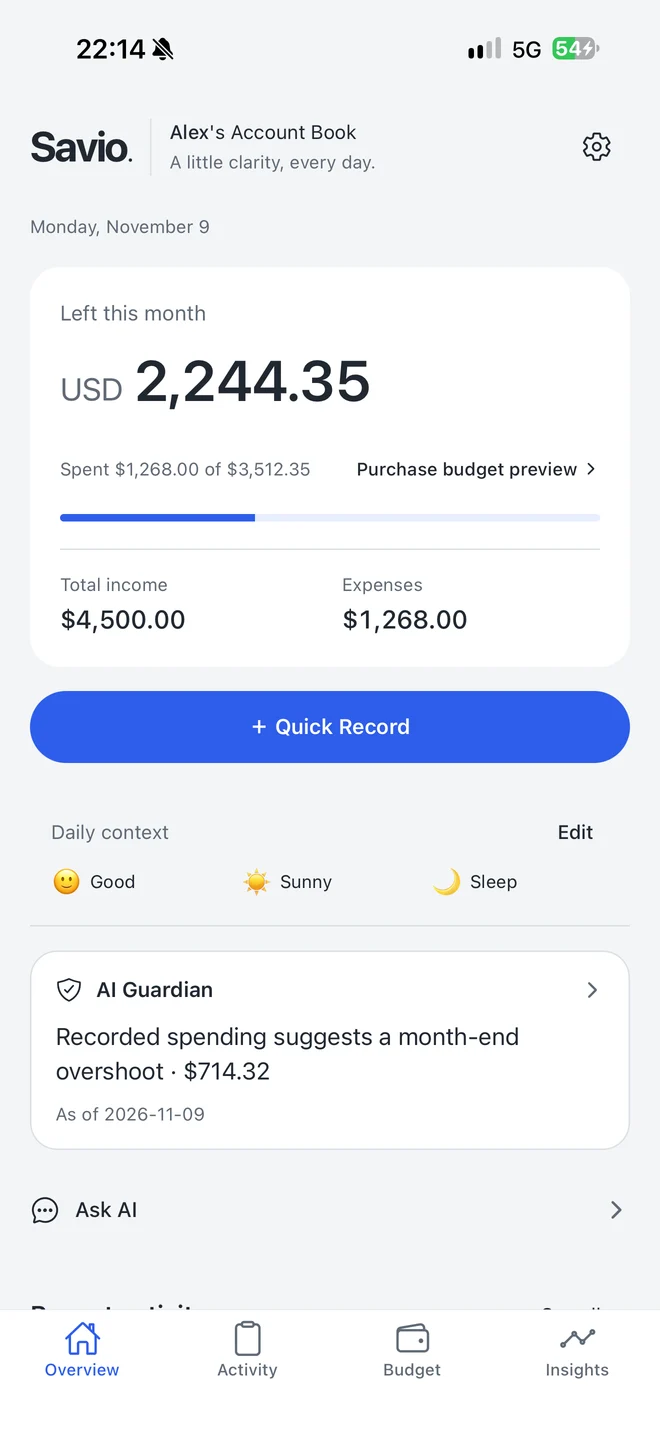
Savio 2.0 · Demo records in the app
See what’s left.
Choose what’s next.
From this month’s budget to your next savings goal, choose a view and see how Savio brings it together.
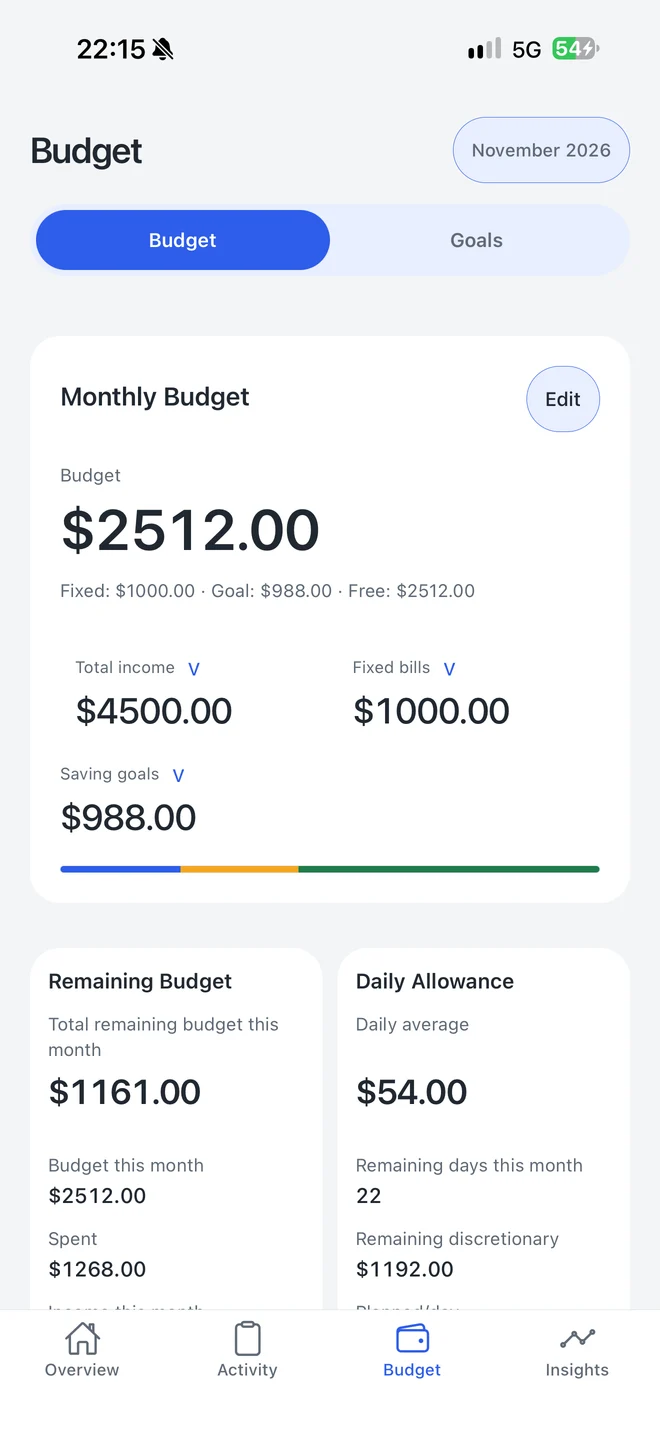
Plan for needs.
Save for wants.
Consider monthly income, fixed bills and savings goals together. See your remaining budget and daily allowance, and carry monthly settings forward.
Savio 2.0 · Demo records in the appSay it.
Check it. Save it.
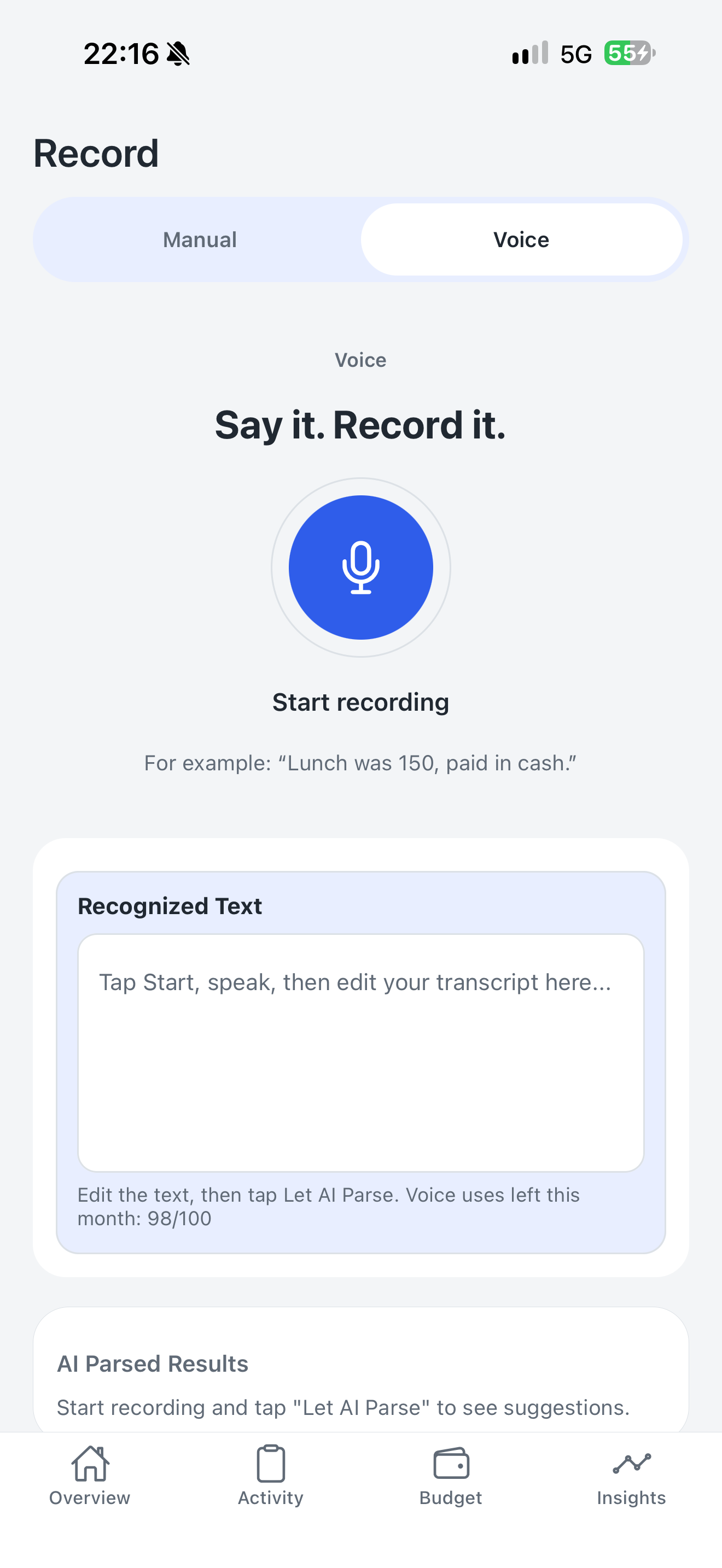
Type a record, or turn speech into text for AI to organize. Review and edit every amount, category and date before saving.
Speak the expense
Start with a text transcript.
Review the draft
Check each record AI prepares.
Choose to save
Confirm before adding records.
Cloud AI requires an internet connection, your consent, and eligible trial or subscription access.
Your records.
Your choice.
Your financial records are stored on your device by default. Before using cloud AI, Savio explains what will be shared and asks for your consent.
Voice parsing and financial chat have separate controls. Mood, weather and sleep are an additional choice. Change your preferences in Settings → AI & Data Privacy.
Read the privacy policy ↗A few things
before you start.
A clear view of trials, subscriptions and your records.
Can I still record expenses after the trial?
Yes. Eligible users receive a 7-day free trial that does not automatically charge when it ends. Manual recording remains available without a subscription. Cloud AI, savings goals and detailed reports require eligible trial or subscription access.
How does Pro work? Is AI unlimited?
Pro offers monthly and annual subscriptions. AI use has limits. See the app and App Store for current prices, allowances and available features. Subscriptions renew automatically under the terms shown by Apple and can be managed or cancelled in your Apple account.
Does restoring purchases restore my records?
Restore Purchases restores valid subscription access, not your on-device records. Financial records are stored locally by default. Back them up regularly in the app and check your backup before deleting the app or changing devices.
Can I choose a language or a dark theme?
Yes. Savio includes Chinese and English interfaces, three visual themes, and light, dark or system-matched appearance.
Should I check AI results and budget reminders?
Yes. AI results and budget reminders can be inaccurate. After voice parsing, review amounts, dates and categories before saving. Savio is a recordkeeping and budgeting tool, not investment, tax or other professional advice.
Make room
for your plans.
Start with today’s spending. Build toward the things you want to do.